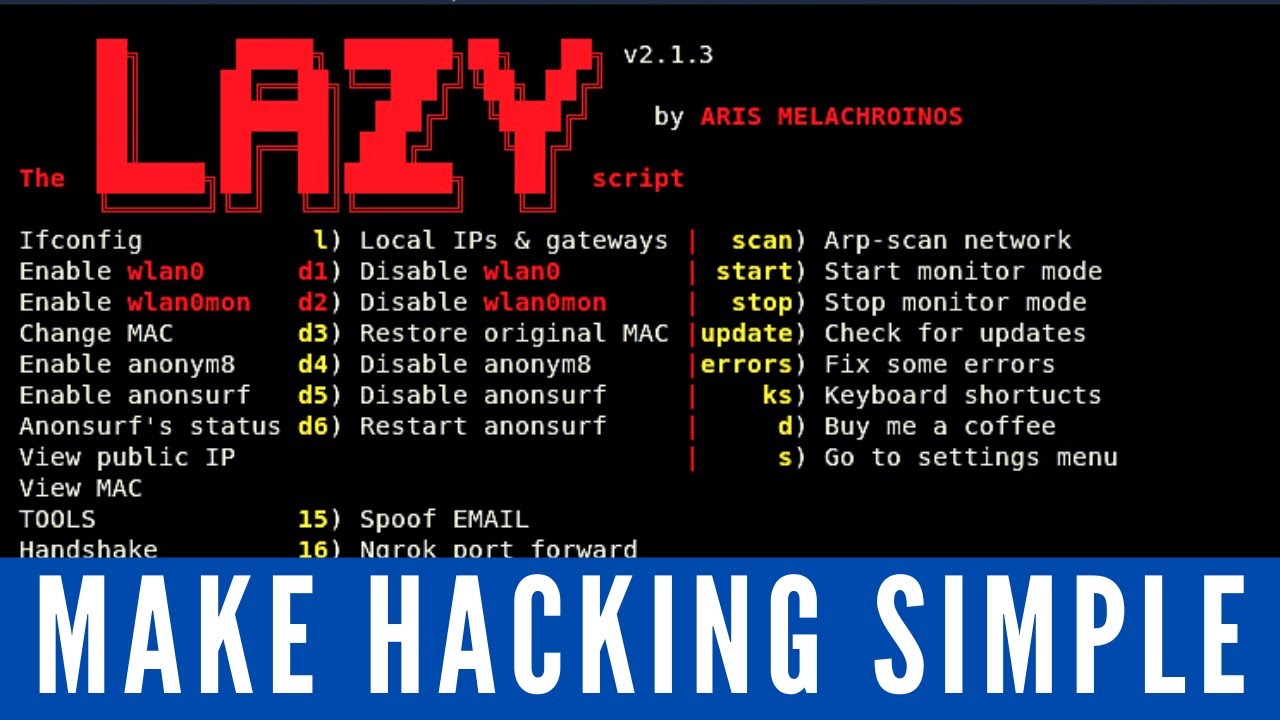
The Lazy Script - Kali Linux 2017.1 - Automate Penetration Testing!
Keywords
Summary
152 words
Critical Evaluation
Value of the Information & Strength of the Argument
The video provides practical value by demonstrating a real, functional script that simplifies routine penetration testing workflows. The argumentation is implicit: the tool is presented as beneficial because it saves time and reduces complexity. The presenter supports this by showing concrete examples (changing MAC, launching tools) and by referencing the tool’s popularity on GitHub. However, the argumentation is largely promotional; no critical counterpoints or security caveats are discussed beyond the standard disclaimer. The reliance on the developer’s design and the presenter’s experience, rather than independent evaluation, weakens the strength of the argument for the tool’s superiority over manual methods.
Scientific Rigor, Source Quality, Title Accuracy
The scientific rigor is moderate. The video is a tutorial, not a research piece, and it does not cite formal sources or peer-reviewed work. The primary source is the GitHub repository for Lazy Script, which is directly referenced and linked. The presenter also mentions his own website and courses, but these are promotional. The title is accurate and the content matches the claim of automating penetration testing. However, the presenter does not critically assess the script’s code quality, security implications, or edge cases, which limits the thoroughness expected in a rigorous analysis. The audience’s feedback is overwhelmingly positive, which suggests usefulness but does not substitute for technical scrutiny.
222 words
Title / Content Match
The title accurately reflects the content: the video presents the Lazy Script as a means to automate penetration testing tasks, with a focus on Kali Linux 2017.1.
Quality & Reliability
7/10
The video is a clear, well-structured tutorial that demonstrates the installation and use of the Lazy Script tool on Kali Linux. It provides step-by-step instructions and troubleshooting tips. However, it lacks in-depth technical explanations and critical evaluation of the tool's limitations, relying on the developer's claims and the presenter's personal endorsement.
Key Moments
Markers derived by PSI from the transcript: the creator did not define chapters.
- Introduction and purpose of the video.
- Cloning the Lazy Script repository from GitHub using git clone.
- Running the install script and configuring wireless interface names.
- Overview of the main menu and its options (MAC, monitor mode, tools).
- Demonstration of installing additional tools (e.g., Fern) via the script.
- Final thoughts, troubleshooting tips, and recommendations.
Cited Sources
- Lazy Script GitHub Repository — The script featured in the video, provided by the developer for installation.
- HackerSploit Website — The creator's website, mentioned as a resource for additional content.
- Nmap for Penetration Testing (Udemy) — Promotional link to a related course by the same creator.
- The Complete Ethical Hacking Bootcamp (Udemy) — Promotional link to a comprehensive hacking course.
Concurring Sources
- Kali Linux Official Website — Official source for Kali Linux, confirming its default tools and purpose.
Contribution & Novelties
The video introduces a then-new tool (Lazy Script) to the Kali Linux community, highlighting its potential to streamline penetration testing workflows. It serves as an instructional resource and promotes the tool’s adoption. The main novelty is the demonstration of a utility that aggregates common terminal commands into a menu-driven interface, reducing the learning curve for beginners. However, the content does not present original research or novel concepts beyond the tool itself.
Pour aller plus loin :
- Kali Linux (Wikipedia) — Overview of the operating system and its penetration testing tools.
- Penetration test (Wikipedia) — Definition and methodology of penetration testing.
- Metasploit Project (Wikipedia) — A widely used framework for developing and executing exploits, mentioned as a supported platform in Kali.
- Aircrack-ng (Wikipedia) — Suite for wireless security testing, relevant to the Wi-Fi tools mentioned in the video.
137 words
Radar Profile
The radar profile shows a relatively balanced performance, with moderate scores in information quantity and quality, and a slightly lower technical level. This reflects a tutorial that is informative and practical but not deeply analytical or highly rigorous, fitting its beginner-friendly purpose.
💬 très positif. Sur les 30 commentaires analysés, la grande majorité exprime un enthousiasme marqué pour l'outil et le tutoriel, avec des remerciements et des encouragements.